New: the AI scribe is live. Speak the consultation, review a coded draft. See Thravi’s AI

Clinic management software a small team can run

A clinic has one front desk, one or a few doctors and no IT department. Thravi covers the whole visit, from the token at reception to the prescription on the patient’s phone. It is clinic management software built for practices in India, without asking a three-person team to learn a hospital system.

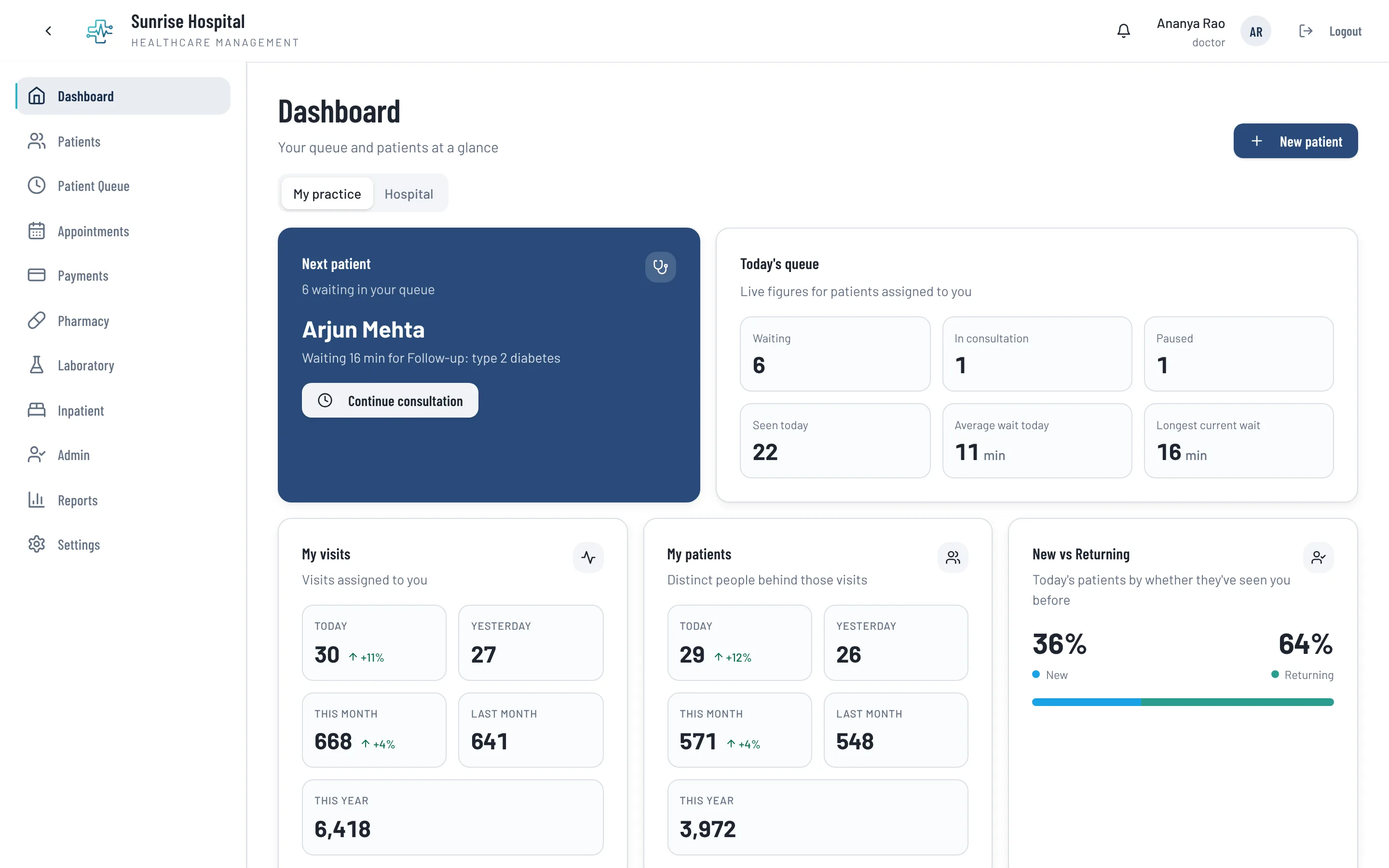
Thravi doctor dashboard showing the next patient, today’s queue with waiting and consultation counts and average wait time, visit and patient totals, and the split of new versus returning patients

Everything between the patient walking in and walking out

The core system alone runs a clinic. There is nothing to install and no module you have to buy to get started.

  • Registration and the OP ticket

    Register a patient once and they keep one record for every later visit. The registration fee and consultation charge are collected with the ticket, and the receipt prints on your letterhead.

  • A queue the doctor can trust

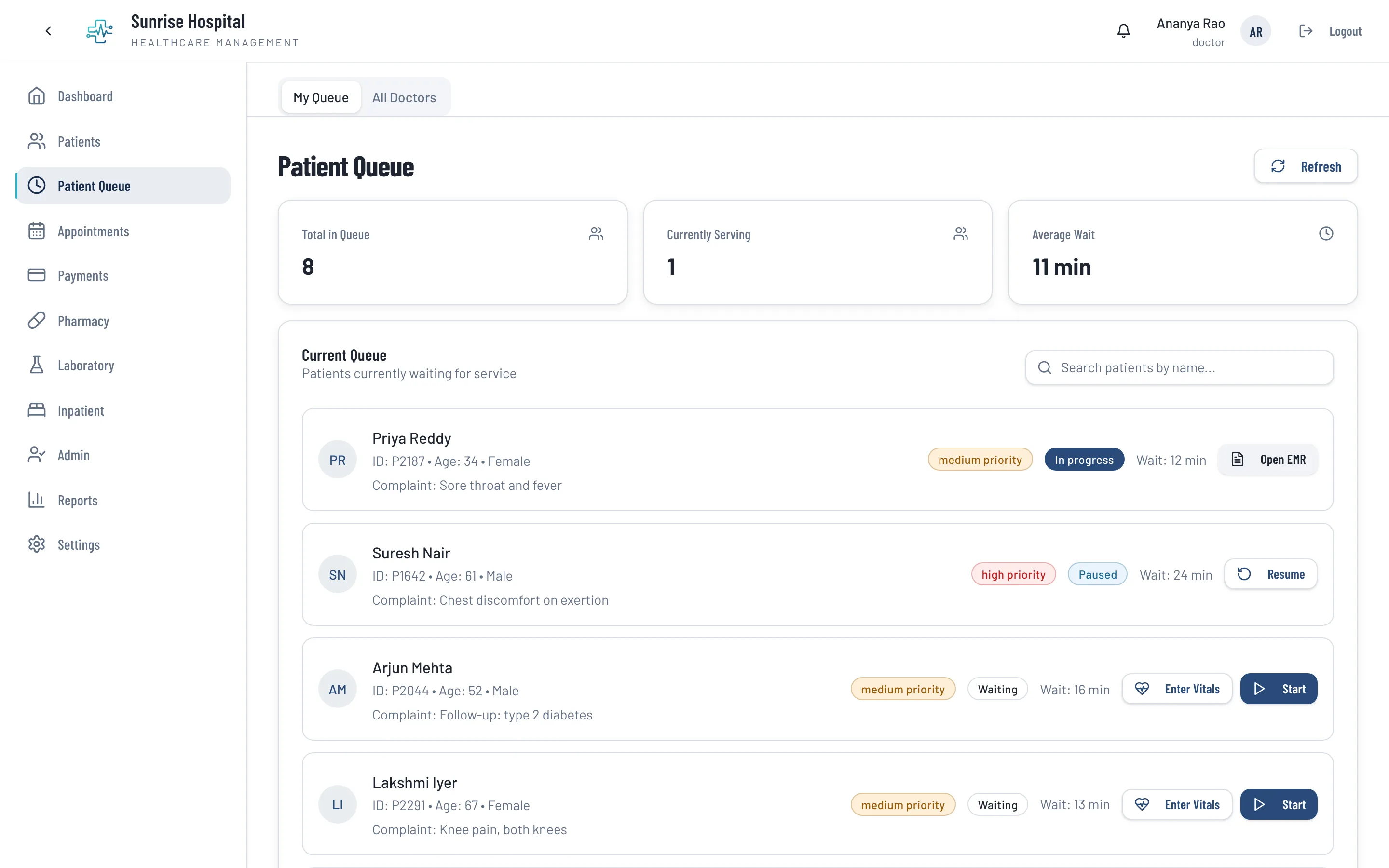
    Each doctor sees their own waiting list with the complaint, priority and wait time. A visit can be paused while the patient goes for a test and resumed when they return.

  • Online booking from a link

    Share a booking link on WhatsApp or your Google listing. Patients pick a doctor and a time during your consulting hours, and the front desk turns the booking into a visit when they arrive.

  • Consultation notes and prescriptions

    The doctor records symptoms, diagnosis and medicines by picking from a search, or lets the AI scribe draft the note from the conversation. The prescription is printed or sent to the patient.

  • Bills, part payments and refunds

    Set your own consultation fees and service prices. Bills take part payments and discounts, refunds are recorded properly, and a finalised bill cannot be quietly edited later.

  • Follow-ups that happen

    When the doctor sets a follow-up date, the patient gets a reminder the day before by WhatsApp or SMS, with a link to book the visit.

The front desk and the doctor on the same page

Reception registers the patient and issues the ticket; the patient appears in the doctor’s queue straight away. A nurse can enter vitals before the consultation, so the doctor opens the visit with them already filled in.

The doctor’s dashboard shows who is next, how long people have waited and how today compares with yesterday and the month.

  • Tokens, priorities and live waiting times
  • Vitals entered before the consultation
  • Each doctor sees their own queue
Thravi patient queue with totals for patients in queue, currently serving and average wait, and patient cards showing complaint, priority, status and waiting time
The OPD queue, with each patient’s complaint, priority and wait. A screenshot from the product, with demo data.

A consultation record that takes less time than the pad

The consultation screen follows the order of a visit and codes what you write as you pick it. Previous visits open beside the current one, and a follow-up is mostly copying the last visit forward and changing what changed. More on the EMR.

  • Symptoms, diagnoses and medicines picked from a search
  • Prescription printed on your letterhead or sent by WhatsApp
  • An AI scribe that drafts the note for review
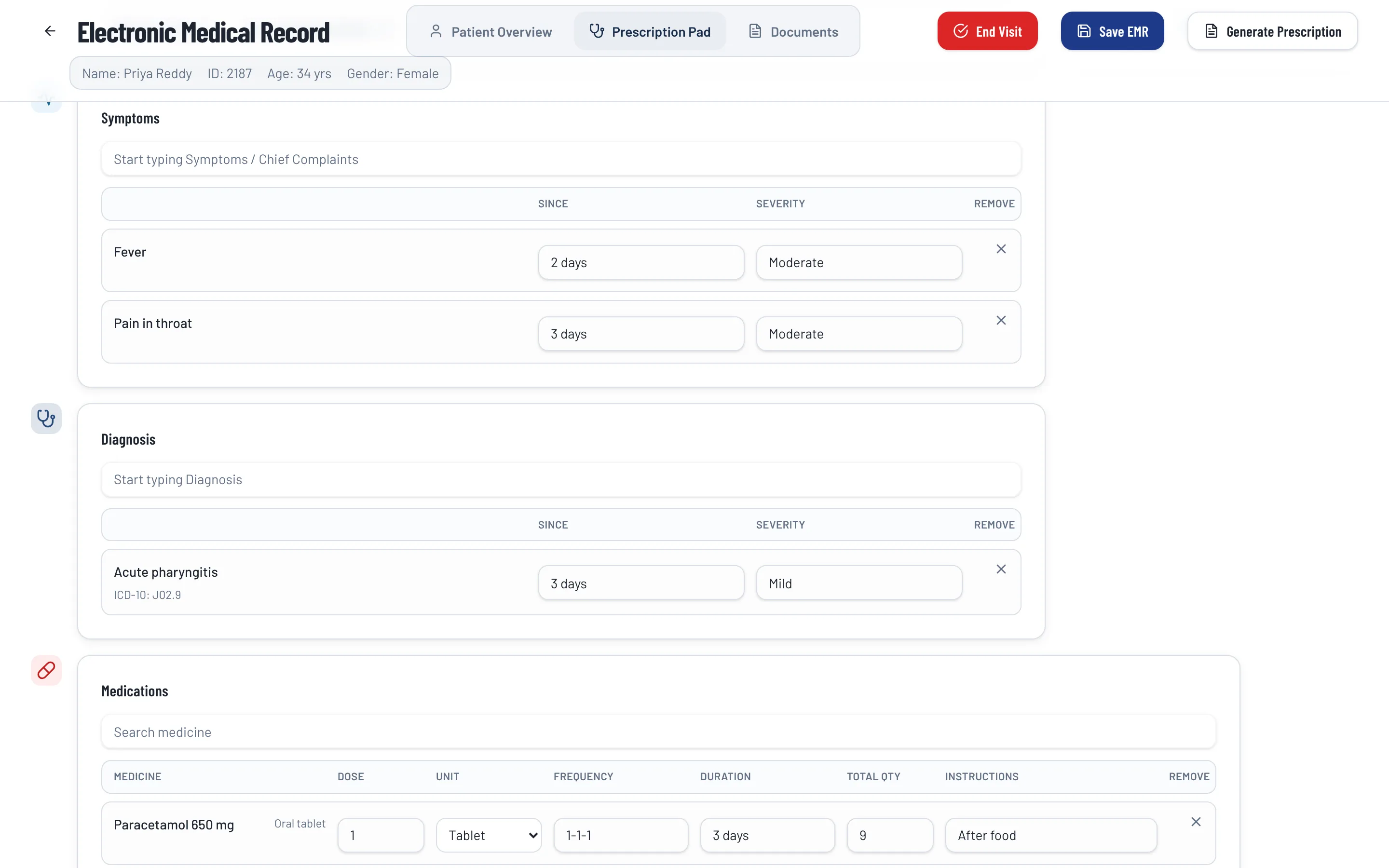
Thravi electronic medical record prescription pad showing coded symptoms, a diagnosis of acute pharyngitis with its ICD-10 code, and a paracetamol prescription with dose, frequency and duration
The consultation record: symptoms, a coded diagnosis and the prescription on one pad. A screenshot from the product, with demo data.

Getting started, or moving over

Your clinic’s first software

Start with registration, the queue, consultation notes and billing. Add your doctors and their consulting hours, your fees, and invite your receptionist by SMS. If you later open a pharmacy counter or a small lab, those are modules on the same record. Six signs it is time to upgrade.

Moving from another clinic software

Tell us what your current software can export and we will say plainly what can be brought across. Your prescription layout and letterhead can be set up to look the way your patients already know. How switching works.

Yes. A single doctor and one receptionist can run registration, the queue, consultation notes, prescriptions and billing on the core system alone. Laboratory, Pharmacy and Inpatient are optional and can be added later.

No. Thravi runs in a web browser on the computers you already have. It needs an internet connection, and data is hosted in India.

Yes. Each clinic gets a booking link to share. Patients choose a doctor and a time within the consulting hours you set, starting from the next day; same-day patients are handled as walk-ins at the desk.

When the doctor records a follow-up date, the patient receives a reminder the day before by WhatsApp or SMS with a link to book. Bills, prescriptions and reports can also be sent to the patient’s phone.

A clinic pays for the core system and only the modules it switches on, so you are not paying for inpatient or lab features you do not use. Book a demo and we will quote for your setup.

Book a personalised demo

Tell us how your facility operates, and we’ll show you how Thravi can be configured for your setup.