

New: the AI scribe is live. Speak the consultation, review a coded draft. See Thravi’s AI

One hospital management system for OPD, IPD, lab, pharmacy and billing

Thravi is hospital management software and an EMR for Indian clinics, nursing homes and hospitals. An AI scribe drafts the consultation notes while the doctor talks, and every department works from the same patient record. Whether it is your first system or the one replacing what you have outgrown.

See the product
Runs in the browser
Nothing to install on reception, ward or pharmacy computers.
AI voice scribe
Consultation notes drafted from speech in English, Hindi or Telugu.
Coded clinical records
SNOMED CT, ICD-10 and LOINC are built in, not bolted on.
ABDM integration ready*
Built for ABHA-linked records and FHIR-based exchange.

Built on India’s digital health standards

Records are coded as they are written, so they are ready for ABDM and FHIR exchange.

  • Ayushman Bharat Digital Mission
  • SNOMED CT
  • LOINC from Regenstrief
  • ICD-10WHO disease classification
  • DPDP-conscious data practices
  • ABDM integration ready*
  • Hosted in India
  • Role-based access control
  • Audit logging

Whether this is your first hospital software or your third

Buying hospital software for the first time

Start with what the front desk and the doctor need on day one: patient registration, tokens and queues, the consultation record, prescriptions and bills. Invite staff by email or SMS; each person sees only the screens they are permitted to use. Lab, pharmacy and inpatient switch on later, in the same system.

Replacing software you have outgrown

The usual reasons: billing, pharmacy and lab live in separate programs, the software sits on one computer, or records are free text that nothing else can read. Thravi keeps one coded record for all of them and runs wherever there is a browser. Six signs it is time to upgrade.

  • Clinics and small practices

    Registration, appointments, the doctor’s queue, consultation notes, prescriptions and billing. The core system alone runs a clinic.

    Clinic management software
  • Nursing homes and small hospitals

    Add admissions and beds, an in-house lab and a pharmacy counter. Orders and prescriptions reach each department without retyping.

    Hospital management software
  • Multispeciality hospitals

    Many doctors, departments, pharmacies and service counters on one patient record, with access set per person and every key action logged.

    EMR software for India

Every department on one patient record

Start with the core and switch on lab, pharmacy and inpatient when you need them. Explore how each part of your team stays connected.

Appointments and patient queue

Reception registers the patient, issues the OP ticket and the doctor’s queue updates by itself. Patients can also book online from a link.

  • Tokens, priorities and live waiting times
  • Nurse enters vitals before the doctor starts
  • Follow-up reminder sent the day before
A calmer OPD dayAppointments → reception → consultation
01
In consultationDoctor is seeing the patient
Now
02
Vitals recordedReady for the doctor
Next
03
Checked inReception has issued the token
Waiting
Illustrative workflow. View product screenshot

An AI scribe that writes the consultation notes

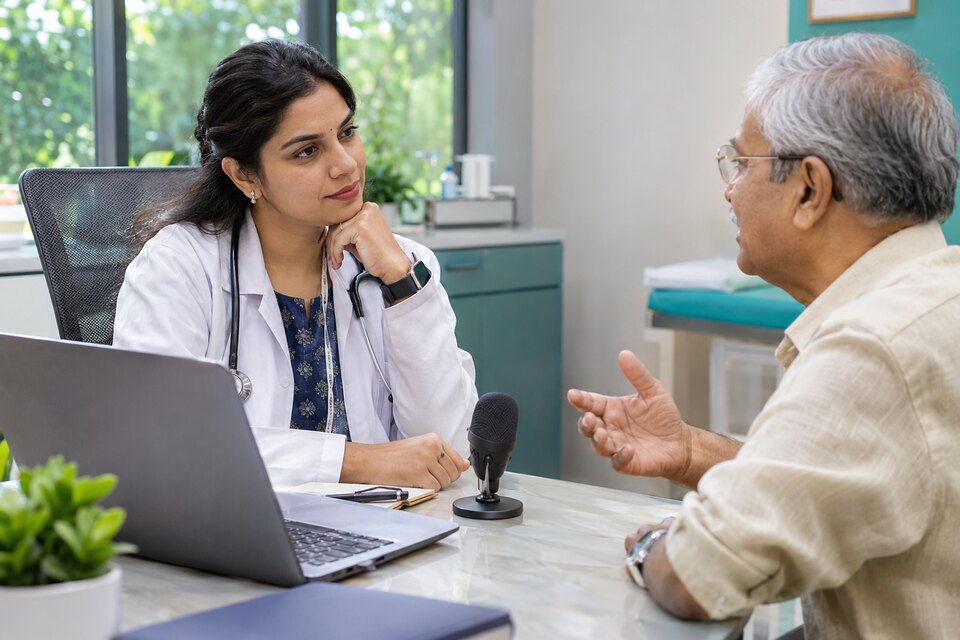
The doctor talks to the patient in English, Hindi or Telugu. Thravi drafts the symptoms, diagnosis and prescription, coded and ready to review. It is part of the consultation screen, not a separate app.

Recording02:14EnglishLive transcriptDr. Ananya Rao with Priya Reddy, 34 F

Heard

  1. Three days of fever, and a sore throat since yesterday.
  2. No cough. It hurts when I swallow.
  3. Throat is red, no exudate. Temperature one hundred point four.
  4. This looks like acute pharyngitis.
  5. Paracetamol five hundred, no, six fifty milligrams, three times a day for three days.
  6. Come back in five days if the fever has not settled.

Drafted for review

  • SymptomsFeverSNOMED CT 386661006
  • SymptomsPain in throatsaid “sore throat”SNOMED CT 162397003
  • ExaminationThroat red, no exudate. Temp 100.4 °Fkept as text
  • DiagnosisAcute pharyngitisSNOMED CT 363746003ICD-10 J02.9
  • PrescriptionParacetamol 650 mg, 1-1-1, 3 dayssaid “500, no, 650”
  • Follow-upReview in 5 days if fever persists
Nothing is saved until the doctor copies it.Copy selected to EMR
The scribe’s review step, shown with sample data. “Sore throat” lands as the coded term the EMR’s own search would return; a corrected dose keeps the correction.

How it works

  1. Record, or upload

    Press record during the consultation, or upload audio captured elsewhere. Choose English, Hindi or Telugu before you start, and pause whenever the conversation leaves the room.

  2. Transcribe

    Live mode shows the words as they are spoken, so you can see the microphone is hearing you. Accurate mode waits until you stop and separates the speakers.

  3. Draft and match

    The draft is sorted into the EMR’s own fields. Each symptom, diagnosis, investigation and medicine is matched to the same reference entry the search box would give you, with its ICD-10 code where one maps. Wording with no confident match stays as plain text. It is never rounded to the nearest guess.

  4. Review and copy

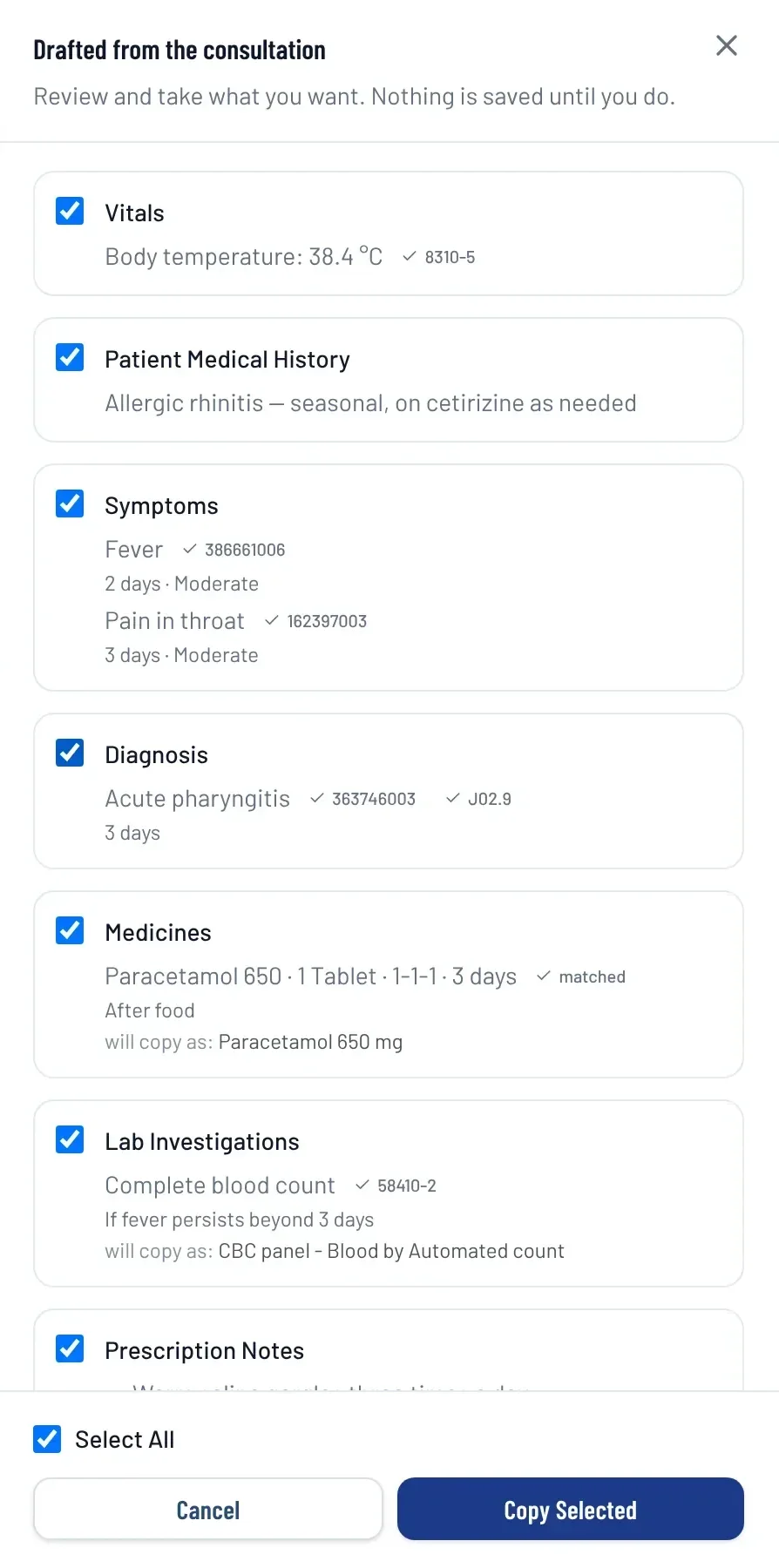
    Suggestions arrive with checkboxes, exactly like copying from a previous visit. Tick what you want, copy it into the form and save. Nothing reaches the patient record before that.

Thravi EMR with the voice scribe’s review drawer open: drafted vitals, symptoms coded to SNOMED CT, a diagnosis of acute pharyngitis with ICD-10 J02.9, a matched medicine and a lab investigation, each with a checkbox, above Select All and Copy Selected buttons
A screenshot from the product, with demo data. The codes beside each item are the reference entries it matched.
Corrections survive
“Five hundred, no, six fifty milligrams” is transcribed as said, and the draft carries 650.
Mixed-language rooms
The spoken language is declared up front instead of guessed, and the draft comes back in English.
Pauses cost nothing
A paused recording stops listening. One left paused for 15 minutes ends itself and drafts what it has.

See all of Thravi’s AI

Switching hospital software without stopping the hospital

Changing systems is the part buyers worry about most, so here is what it involves with Thravi.

  1. A demo on your own workflow

    Show us a normal OPD day and what your current software does. We run the same day through Thravi, so you compare like with like.

  2. Set up once

    Your services and prices, doctors and their timings, rooms and beds, prescription and bill layouts, and who is allowed to do what.

  3. Go live one department at a time

    Most facilities start with registration and OPD. The pharmacy or lab can stay on its existing system until you choose to move it.

  4. Switch on the rest

    Lab, pharmacy and inpatient are modules on the same record. Turning one on is a setting, not another migration.

Your existing records
Tell us what your current system can export. Before you commit, we tell you plainly what can be brought across and what cannot.
Training by role
Reception, nurses, pharmacists and doctors each see only their own screens, so each learns a small part, not the whole system.
What it costs
You pay for the modules you run, and add more when you need them. See how plans work.

Read the buyer’s checklist

Built for clinical data, not just for screens

Most of what makes a hospital system trustworthy is invisible in a demo. This is the part we would rather you asked about.

Reference data is loaded, not linked
About 109,000 LOINC terms, SNOMED CT, ICD-10 and India’s NRCeS drug master live in the database. Search, the voice scribe and lab results all read the same tables, so one concept has one spelling.
Lab values judged for the patient
Each result is checked against the reference range for that patient’s age and sex and flagged high or low. The range is stored with the result, so the report reads the same years later.
One record across departments
A prescription arrives in the pharmacy queue and a test order in the lab without anyone retyping it. Billing gathers the charges from each.
Access by permission, not job title
Each action is its own permission, granted per person per hospital. A role name alone opens nothing, and key actions are written to an audit log.
Every hospital kept apart
Data is separated per hospital at the database level. One login can work at several hospitals and never sees them mixed. Hosted in India.
Patients reached where they read
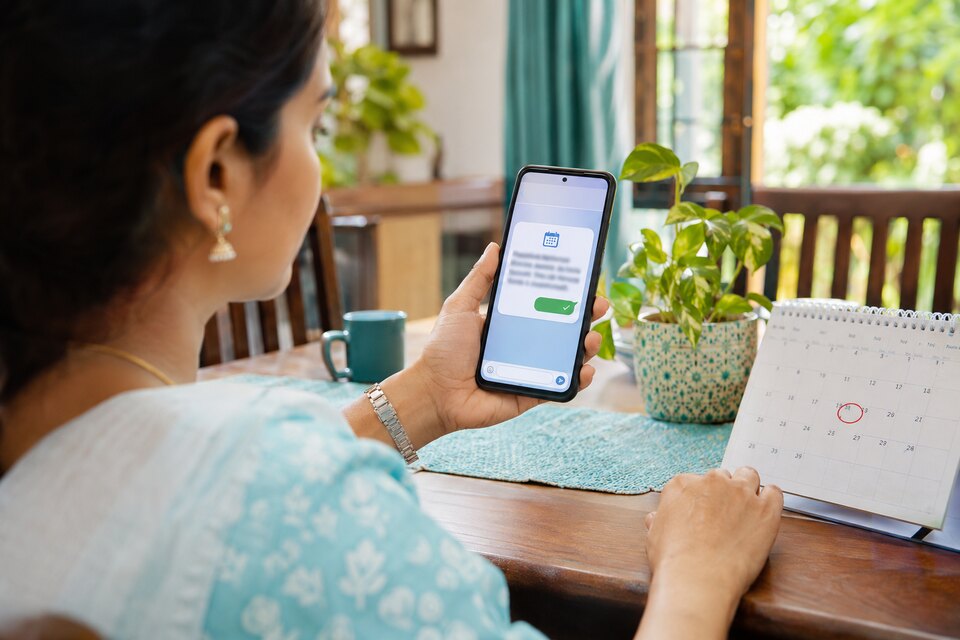
Bills, prescriptions, reports and follow-up reminders go out by WhatsApp or SMS, and the reminder carries a link to book the next visit.
Ayushman Bharat Digital Mission

Designed for India’s connected digital health ecosystem

Thravi is being designed for alignment with the Ayushman Bharat Digital Mission and modern healthcare interoperability standards.

ABDM integration ready*

  • ABHA-enabled patient workflows
  • Consent-based exchange of health records
  • Structured digital prescriptions
  • ABDM HIP and HIU integration
  • FHIR-based health-record exchange

Connected across departments

  • One patient identity across the organisation
  • Unified longitudinal clinical records
  • Orders flow between doctors, labs and pharmacies
  • Standardised APIs for external integrations

How a record travels

  1. ABHA identityPatient linked by ABHA number
  2. ConsentPatient approves each request
  3. FHIR exchangeRecords shared as structured data
  4. Longitudinal recordHistory follows the patient

Coded, portable, machine-readable records

We take clinical data seriously. Thravi maps records to recognised medical terminologies, so information stays accurate, comparable and ready for ABDM and FHIR-based exchange, reporting and analytics.

StandardUsed forExample from an OPD visit
SNOMED CTClinical terminology59621000Essential hypertension
ICD-10Structured diagnosesI10Essential (primary) hypertension
LOINCLabs and observations2093-3Cholesterol, total
HL7 FHIRStandards-based exchangeCondition, Observation and MedicationRequest in one Bundle

*ABDM integration and compliance capabilities are being implemented in accordance with applicable sandbox, certification and production-access requirements. SNOMED CT, LOINC, HL7 FHIR and ABDM marks belong to their respective owners.

Questions buyers ask before choosing hospital software

More on modules and plans on the plans page.

Thravi is cloud-based hospital management software and an EMR for Indian clinics, nursing homes and multispeciality hospitals. The core covers patient registration, appointments, doctor queues, consultation records and billing; Laboratory, Pharmacy and Inpatient (IPD) are optional modules that share the same patient record.

Thravi is priced by the modules you run. Every facility takes the core HMS and EMR and adds Laboratory, Pharmacy or IPD only if it needs them, so a clinic does not pay for a hospital’s feature list. Book a demo and we will quote for your setup.

Yes. Most facilities move one department at a time, usually starting with registration and OPD while the pharmacy or lab stays on its existing system until you choose to move it. Tell us what your current software can export and, before you commit, we will tell you plainly what can be brought across.

Thravi runs in a web browser, so there is nothing to install on reception, ward or pharmacy computers and no server to maintain on site. It needs an internet connection. Data is hosted in India.

Yes. A single-doctor clinic can run on the core HMS and EMR alone. Laboratory, Pharmacy and IPD are switched on per facility when they are needed, without moving to a different system.

The doctor records the consultation, or uploads audio, in English, Hindi or Telugu. The speech is transcribed and a draft is sorted into the EMR’s fields: symptoms, examination, diagnosis, investigations, prescription and follow-up, each matched to its coded reference entry. The drafted note comes back in English.

No. The scribe only produces suggestions. Nothing is added to the visit until the doctor selects it, copies it into the EMR form and saves. Where the scribe cannot match a phrase to a reference entry with confidence, it leaves the wording as plain text instead of guessing a code.

Thravi is ABDM integration ready: it is being built for ABHA-enabled workflows, consent-based record exchange and FHIR-based interoperability, implemented in accordance with the applicable sandbox, certification and production-access requirements.

Data is separated per hospital, and access is granted per permission to each staff member, so a role name by itself opens nothing; key actions are recorded in an audit log. Reports can be exported to CSV or PDF for any date range.

Use the Book a demo form on this page: pick a day and a time, add your name and facility, and the request is sent to the Thravi team, who confirm the slot with you directly.

Book a demo

Thirty minutes on a call, with your own OPD day as the script. Bring a real consultation and we will run it through the scribe.

  • Pick a day and a time that suits your clinic hours.
  • Your request reaches our team straight away, and we contact you to confirm the slot.
  • No sales deck. You see the product.

Prefer to just ask something? Write to support@thravi.in.


Time, India (IST)
What you run

Pick a day and a time. We contact you on the number you give to confirm the slot, or offer the nearest free one.